
.png)
.jpg)
.jpg)
.jpg)
.jpg)
.jpg)
.jpg)
Description
Download Hotspot Shield VPN Chrome Extension – Secure, Fast, and Free Browsing
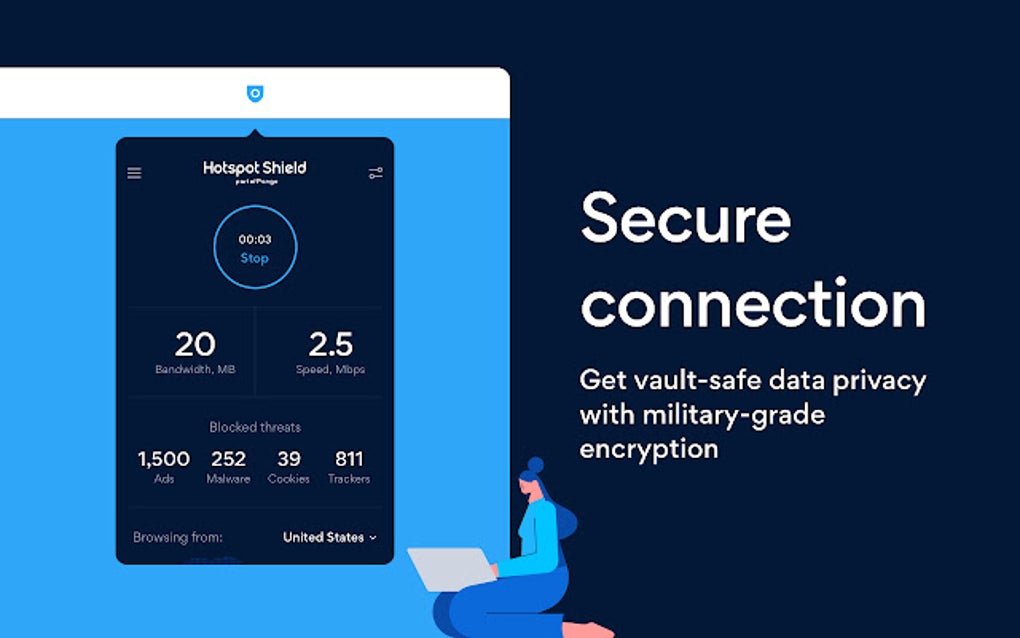
Hotspot Shield VPN Chrome Extension, developed by AnchorFree Inc., delivers a one‑step, secure browsing experience directly inside the Google Chrome browser. By encrypting your traffic through private servers, the extension masks your IP address, protects personal data from hackers, and lets you access geo‑restricted content without the need for a separate desktop client or a user account. Whether you are streaming a favorite show, working on a public Wi‑Fi network, or simply want to keep trackers and ads at bay, this free Chrome add‑on provides unlimited bandwidth, built‑in ad‑blocking, cookie protection, and malware safeguards. Its “Optimal Location” feature automatically picks the fastest server for your connection, while the optional Elite upgrade unlocks premium locations, higher speeds, and P2P support across all platforms. Below you’ll find an in‑depth look at the extension’s core features, installation steps, system compatibility, and a balanced pros‑and‑cons analysis to help you decide if Hotspot Shield is the right VPN tool for your daily web activities.
Key Features of Hotspot Shield VPN Chrome Extension
- One‑Click Activation: Turn on the VPN with a single click—no login, no registration.
- Optimal Location Selection: Automatic server selection based on latency and bandwidth for the fastest possible connection.
- Unlimited Bandwidth: No data caps; stream, download, and browse without throttling.
- Built‑in Ad, Cookie, and Tracker Blocking: Reduces unwanted ads and stops third‑party trackers from collecting your browsing habits.
- Malware Protection: Scans and blocks known malicious domains in real time.
- Geo‑Unlocking Capability: Access blocked websites, streaming services (Netflix, Disney+, Amazon Prime), and regional news portals.
- Hydra Protocol & AES‑256 Encryption: Uses TLS 1.2, AES‑256/128, and ECDHE for perfect forward secrecy.
- Kill Switch: Automatically cuts internet traffic if the VPN connection drops, preventing IP leaks.
- P2P & Torrent Support (Elite Upgrade): Seamless torrenting with no speed throttling across all servers.
- Cross‑Platform Sync: Syncs with Hotspot Shield apps on Windows, macOS, Android, iOS, and even routers for consistent protection.
Installation & Usage Instructions
Getting Hotspot Shield VPN Chrome Extension up and running is straightforward, even for users with limited technical experience. Follow these steps for a hassle‑free setup:
- Visit the Chrome Web Store: Search for “Hotspot Shield VPN” or click the official link on the Hotspot Shield website.
- Add to Chrome: Click the “Add to Chrome” button, then confirm the permission request. The extension icon will appear next to the address bar.
- Activate the VPN: Click the icon and toggle the “Connect” switch. The extension will automatically select the optimal server unless you manually choose a virtual location from the dropdown menu.
- Choose a Server (Optional): If you need a specific country for streaming or testing, select it from the list of available locations. Elite users can access premium servers for faster speeds and dedicated IPs.
- Enable Additional Protections: In the settings panel, turn on ad blocking, cookie blocking, and malware protection. These features work in the background without extra configuration.
- Test Your Connection: Visit a site like ipleak.net to verify that your IP address and DNS queries are masked.
- Upgrade if Needed: For unlimited premium locations, P2P support, or multi‑device usage, click “Upgrade to Elite” and follow the in‑extension purchase flow.
Once installed, the extension remains active in the background, automatically reconnecting after browser restarts. If you travel or switch networks, the “Optimal Location” algorithm will re‑evaluate the best server, ensuring consistent speed and security without manual intervention. The kill‑switch feature is enabled by default, but you can adjust its sensitivity in the advanced settings if you prefer a more aggressive leak protection.
Compatibility, Performance, and Pros & Cons
The Hotspot Shield VPN Chrome Extension is built for the Chrome browser on any operating system that supports Chrome, including Windows 10/11, macOS 10.13+, Linux distributions, and Chrome OS. It works seamlessly alongside the native Hotspot Shield desktop and mobile apps, allowing users to maintain a unified VPN experience across devices. The extension’s lightweight architecture means it consumes minimal CPU and RAM, making it suitable for older machines and low‑power laptops.
Pros
- Fast Connection Speeds: Hydra protocol and optimal server selection deliver low latency, which is especially noticeable when streaming HD video.
- Zero‑Cost Basic Version: Users can enjoy core VPN functionality without a subscription, a rarity among reputable VPN providers.
- All‑In‑One Protection: Integrated ad, cookie, tracker, and malware blockers reduce the need for separate extensions.
- Unlimited Bandwidth: No data caps, making it ideal for binge‑watching or large file downloads.
- Strong Encryption: AES‑256 encryption and perfect forward secrecy protect sensitive data from interception.
- Kill Switch Reliability: Prevents accidental IP leaks in most everyday scenarios.
Cons
- Limited Server Choice in Free Mode: Free users are limited to a few US‑based servers, which may affect geo‑unlocking for non‑US content.
- Logging of Session Metadata: While IP addresses are not stored, the service logs session duration and bandwidth usage, which may concern privacy purists.
- Occasional Kill‑Switch Failure: In extreme network drops, the kill switch may not activate instantly, leaving a brief exposure window.
- Proprietary Code: The Hydra protocol is not open source, so independent audits are limited.
- Customer Support Hours: Live chat is available primarily during US business hours, which may delay assistance for users in other time zones.
Frequently Asked Questions (FAQ) & Final Thoughts
Is the Hotspot Shield Chrome Extension really free?
Yes, the basic version of the extension is free and provides unlimited bandwidth, basic encryption, and ad‑blocking features. Premium features such as additional server locations, higher speeds, and P2P support require an Elite subscription.
Does the extension log my browsing activity?
Hotspot Shield does not log IP addresses or identify users directly. It does record session duration, bandwidth usage, and anonymized domain information for performance and security purposes, but this data cannot be linked back to a specific individual.
Can I use the extension to stream Netflix or Disney+?
Yes. The extension reliably unblocks major streaming services, including Netflix, Disney+, Amazon Prime Video, and BBC iPlayer. Free users are limited to US servers, while Elite members can choose from a broader range of regions for more library options.
What encryption standards does Hotspot Shield use?
The extension employs the proprietary Hydra protocol, which is built on TLS 1.2 and uses AES‑256/128 encryption, 2048‑bit RSA certificates, and Elliptic Curve Diffie‑Hellman (ECDHE) for perfect forward secrecy.
Is there a kill switch for the Chrome extension?
Yes, a built‑in kill switch disables internet traffic if the VPN connection drops unexpectedly, preventing accidental IP exposure. While it works well in most scenarios, rare edge cases have shown brief failures.
Overall Verdict: Hotspot Shield VPN Chrome Extension offers a compelling mix of speed, security, and convenience for users seeking a hassle‑free VPN directly within their browser. The free tier is generous enough for casual browsing and streaming, while the Elite upgrade unlocks premium performance for power users. Despite minor privacy concerns and occasional kill‑switch quirks, the extension remains a top choice for anyone who values a quick, secure, and ad‑free browsing experience.
Download Hotspot Shield VPN Chrome Extension now and enjoy instant protection on all your web activities.
Guides & Tutorials for Hotspot Shield VPN Chrome Extension
How to install Hotspot Shield VPN Chrome Extension
- Click the Preview / Download button above.
- Once redirected, accept the terms and click Install.
- Wait for the Hotspot Shield VPN Chrome Extension download to finish on your device.
How to use Hotspot Shield VPN Chrome Extension
This software is primarily used for its core features described above. Open the app after installation to explore its capabilities.
User Reviews for Hotspot Shield VPN Chrome Extension 0
No reviews found




